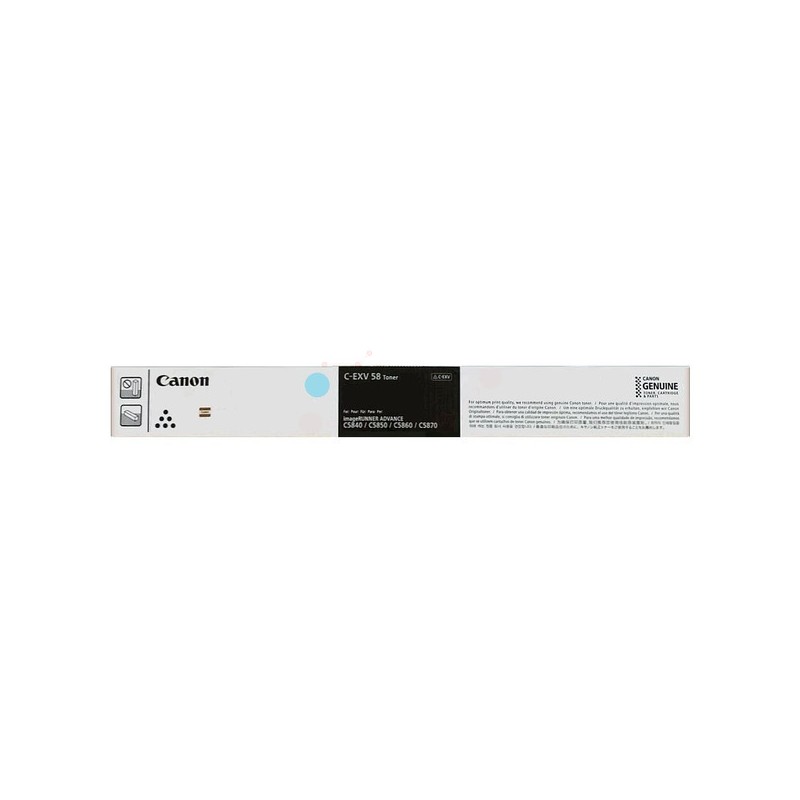
The Canon C-EXV 58L Cyan Toner is a high-yield toner cartridge specifically designed for use with Canon imageRUNNER ADVANCE and imagePRESS series printers. This toner cartridge is engineered to provide exceptional print quality, delivering vibrant cyan colors and sharp text for business documents, marketing materials, and presentations.
Key Features of Canon C-EXV 58L Cyan Toner:
High-Quality Color Output:
The C-EXV 58L Cyan toner produces vivid, consistent cyan colors with excellent accuracy. It ensures that your printed documents, images, and graphics have professional-quality color reproduction.
High Yield:
As a high-yield toner, the C-EXV 58L provides greater page yields compared to the standard version of the toner. It offers an approximate yield of 17,800 pages at 5% page coverage, making it ideal for high-volume printing environments where frequent toner replacement can be costly and disruptive.
Reliability and Consistency:
The C-EXV 58L toner ensures consistent and reliable performance, delivering high-quality color prints over an extended period without defects like fading or smudging.
Compatibility:
The Canon C-EXV 58L Cyan toner is compatible with several Canon imageRUNNER ADVANCE and imagePRESS models. These printers are designed for professional-grade printing in offices and commercial settings. Some compatible models include:
Canon imageRUNNER ADVANCE 4551i
Canon imageRUNNER ADVANCE 4551
Canon imageRUNNER ADVANCE 4545i
Canon imageRUNNER ADVANCE 4545
Canon imagePRESS C800
Canon imagePRESS C700
Eco-Friendly:
The Canon C-EXV 58L Cyan toner is part of Canon’s environmentally conscious product line, designed with recyclability in mind. Canon offers a recycling program for used toner cartridges, helping reduce waste and support sustainability.
Specifications:
Toner Color: Cyan
Page Yield: Approximately 17,800 pages (at 5% page coverage)
Compatible Printers: Canon imageRUNNER ADVANCE and imagePRESS series printers, including:
Canon imageRUNNER ADVANCE 4551i
Canon imageRUNNER ADVANCE 4551
Canon imageRUNNER ADVANCE 4545i
Canon imageRUNNER ADVANCE 4545
Canon imagePRESS C800
Canon imagePRESS C700
Ink Type: Toner powder
Weight: Approximately 1.5 kg (3.3 lbs)
Benefits:
Professional Color Print Quality:
The C-EXV 58L Cyan toner delivers vibrant, accurate cyan colors, making it ideal for color-rich prints like brochures, presentations, and marketing materials.
High Yield for Cost-Effective Printing:
With an impressive 17,800-page yield, the C-EXV 58L Cyan toner is designed for high-volume printing. Its high yield ensures fewer replacements and helps reduce operational costs over time.
Reliable Performance:
The C-EXV 58L Cyan toner ensures consistent and reliable performance, minimizing downtime and ensuring high-quality output on every print job. This is essential for businesses that rely on their printers to maintain productivity and professionalism.
Sustainability:
Canon’s commitment to sustainability is reflected in the design of the C-EXV 58L Cyan toner, which is both recyclable and part of the company’s green initiative to reduce environmental impact.
Enhanced Office Productivity:
The high yield and reliability of the C-EXV 58L Cyan toner allow businesses to maintain a continuous workflow, improving overall productivity in high-demand office and commercial environments.
How to Install the Canon C-EXV 58L Cyan Toner:
Turn Off the Printer:
Ensure that the printer is turned off and unplugged for safety before beginning the toner replacement process.
Open the Toner Compartment:
Open the front or side cover of the printer to access the toner compartment. This may vary depending on the model of the printer.
Remove the Old Toner Cartridge:
Gently remove the old toner cartridge from the printer. Be careful not to spill any toner powder.
Prepare the New Toner:
Remove the Canon C-EXV 58L Cyan toner from its packaging. Gently shake the toner cartridge from side to side to evenly distribute the toner powder inside.
Install the New Toner:
Insert the new toner cartridge into the printer’s designated slot, making sure it is securely seated in place.
Close the Toner Compartment:
Once the toner cartridge is installed, close the printer’s cover securely.
Power On the Printer:
Plug the printer back in and power it on. The printer should automatically detect the new toner cartridge.
Test Print:
Print a test page to ensure the toner is installed correctly and the printer is functioning properly.






There are no reviews yet.