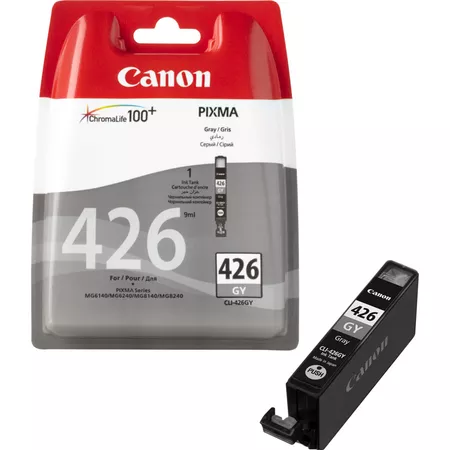
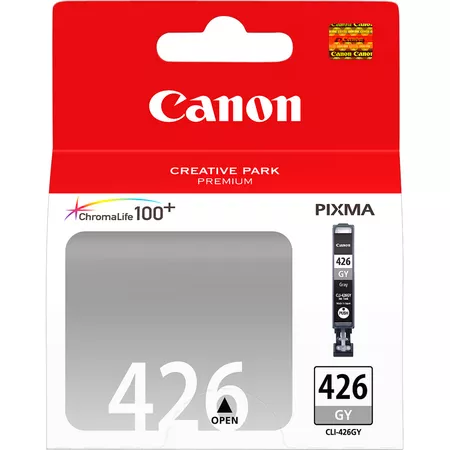
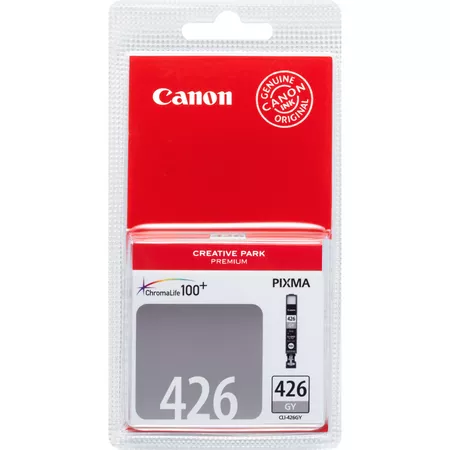
The Canon CLI-426GY is a Gray ink cartridge in Canon’s CLI-426 series, designed for use with select Canon PIXMA inkjet printers. This ink tank is a specialized cartridge that provides a range of benefits for photo printing, especially for producing more accurate and detailed gray tones in monochrome or color images.
Key Features of Canon CLI-426GY (Gray):
High-Quality Gray Ink:
The CLI-426GY uses dye-based gray ink, specifically formulated for high-quality photo printing. The gray ink allows for smoother gradients and more accurate tonal reproduction, especially in black-and-white and grayscale images.
Enhanced Black-and-White Prints:
The inclusion of gray ink in the Canon CLI-426GY cartridge helps improve the quality of monochrome prints by reducing the reliance on pure black ink and allowing for smoother, more detailed transitions between shades of gray. This results in more professional-looking black-and-white photographs with less graininess.
ChromaLife100+ Technology:
As part of Canon’s ChromaLife100+ ink technology, the CLI-426GY ink cartridge ensures that prints made with this ink are resistant to fading over time. With proper care and storage (such as in albums or frames), the prints remain vibrant for years.
Color Accuracy and Smooth Gradients:
This ink is also beneficial for color photo printing, especially in images where subtle tones or shading are important. It allows for smoother gradations between colors, especially in neutral or pastel tones.
Standard Page Yield:
The CLI-426GY has an estimated yield of 300 pages based on ISO/IEC 24711 standards. This yield makes it suitable for users who print photographs and color documents in moderate volumes.
Easy Installation:
The CLI-426GY is designed for easy installation and replacement in Canon PIXMA printers. It’s user-friendly and ensures that users can quickly get back to printing without significant downtime.
Compatibility:
The CLI-426GY ink tank is compatible with a range of Canon PIXMA printers that use the CLI-426 ink series, such as models from the PIXMA MG series, PIXMA iP series, and PIXMA MP series.
Specifications:
Ink Type: Dye-based ink (Gray)
Page Yield: Approx. 300 pages (based on ISO/IEC 24711 standard)
Compatibility: Canon PIXMA printers that support the CLI-426 series (PIXMA MG, iP, MP series)
Color: Gray
Weight:
The Canon CLI-426GY ink cartridge weighs approximately 25 grams.
Benefits of Using Canon CLI-426GY:
Superior Gray Tones for Photo Printing:
The gray ink improves the accuracy of gray and black tones, ensuring that your monochrome prints look more refined and professional, especially in photographs and detailed images.
Enhanced Color Accuracy:
The addition of gray ink helps printers achieve better overall color accuracy, especially in prints that require delicate tonal nuances between colors.
Long-Lasting Prints:
Thanks to Canon’s ChromaLife100+ technology, prints produced with the CLI-426GY ink cartridge are resistant to fading, helping your prints stay vibrant and clear over time.
Smooth Gradients:
The gray ink improves the overall quality of gradients in both black-and-white and color prints, creating more realistic and subtle transitions in tonal ranges.
Easy to Replace:
Like all Canon CLI-426 series cartridges, the CLI-426GY is easy to replace and install, ensuring minimal downtime and quick printing resumption.
How to Install the Canon CLI-426GY Ink Tank (Gray):
Prepare Your Printer:
Power on your Canon printer and open the top cover to access the ink tank compartment.
Remove the Old Ink Tank (If Replacing):
If you’re replacing an old or empty gray ink tank, gently press down on the cartridge to release it from its slot and carefully remove it.
Unbox the New CLI-426GY Ink Tank:
Remove the new CLI-426GY ink cartridge from its packaging, making sure to remove any protective plastic seals or tape from the cartridge to avoid ink spills.
Install the New Ink Tank:
Insert the new CLI-426GY ink tank into the designated gray slot. Ensure that the cartridge clicks securely into place.
Close the Printer Cover:
Once the new ink tank is installed, close the top cover of the printer.
Check Ink Levels:
You can use the printer’s display panel or software to check the ink levels or perform a test print to confirm that the new ink cartridge is working properly.
By following these steps, the Canon CLI-426GY ink tank will be properly installed, and your printer will be ready to produce high-quality prints with rich gray tones.






There are no reviews yet.