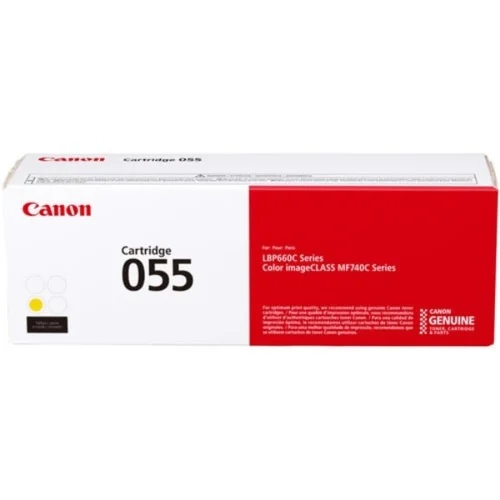
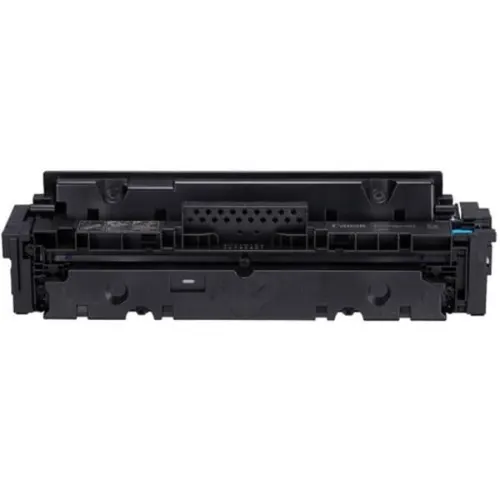
The Canon CRG 055 Y Toner Cartridge is a yellow toner cartridge designed for use with specific Canon laser printers. It delivers high-quality, consistent prints with sharp and vibrant colors, making it suitable for both home and office environments where color printing is essential.
Key Features
Genuine Canon Quality: This toner is a genuine product from Canon, ensuring compatibility, reliability, and optimal print quality.
High Yield: The CRG 055 Y cartridge is designed to produce a significant number of prints, making it cost-effective for large volume printing.
Vibrant Color Output: The yellow toner ensures vivid and sharp color printing, ideal for business documents, marketing materials, and photos.
Easy Installation: Designed for easy, tool-free installation into compatible Canon printers.
Eco-Friendly: Canon’s cartridges are engineered to meet environmental standards, making them more eco-friendly.
Page Yield: Typically, it yields up to 2,100 pages at 5% page coverage (ISO standard), providing efficient long-term use.
Page Yield: Approximately 2,100 pages (ISO/IEC 19752 standard, at 5% coverage)
Compatibility: Compatible with Canon imageCLASS, i-SENSYS, and other selected Canon laser printers.
Dimensions (L x W x H): 364 mm x 105 mm x 115 mm
Weight: Around 1.1 kg (approximately)
Benefits: Canon CRG 055 Y Toner Cartridge
High-Quality Prints: Delivers consistent, professional-quality prints with precise and bright yellow tones.
Cost-Efficient: With its high yield, it reduces the need for frequent toner replacements, saving on long-term printing costs.
Reliable Performance: Canon’s genuine toner ensures optimal printer performance with fewer issues like smudging or fading over time.
Easy to Use: The simple, user-friendly design allows for quick and easy installation, ensuring minimal downtime.
Environmental Responsibility: Canon promotes sustainability with a focus on environmentally conscious production and recycling programs.
How to Install Canon CRG 055 Y Toner Cartridge
Prepare Your Printer: Ensure the printer is powered off and unplugged for safety.
Open the Printer’s Toner Compartment: Locate the compartment where the toner cartridge is installed, which may be found by opening a front or side panel on your printer.
Remove the Old Cartridge (if applicable): If replacing an old cartridge, gently pull it out of the printer. Handle the cartridge carefully to avoid spilling toner.
Unbox the New Cartridge: Remove the new Canon CRG 055 Y toner from its packaging. Be careful not to touch the toner drum or any sensitive areas.
Shake the Toner Cartridge: Gently shake the toner cartridge from side to side to distribute the toner evenly inside.
Install the New Cartridge: Slide the new cartridge into the compartment, aligning it with the slots or guides. Press it firmly until it clicks into place.
Close the Printer’s Compartment: Close the printer panel securely, ensuring the toner is locked in place.
Power On the Printer: Plug the printer back in and power it on. The printer should recognize the new toner cartridge and be ready for use.


 canon, Canon Printers, Inkjet, Inkjet Printer, Printers


There are no reviews yet.