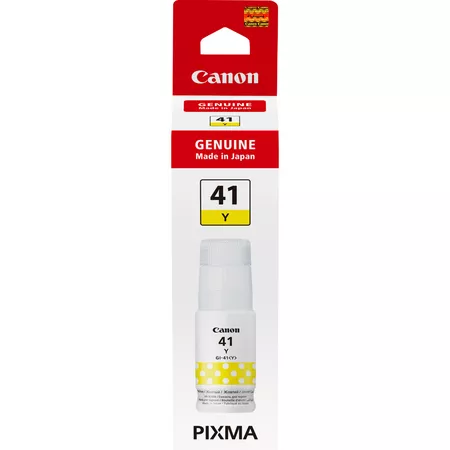
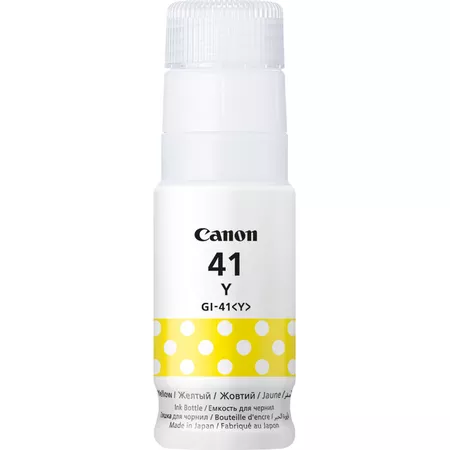
The Canon GI-41 Y is a yellow ink cartridge designed for Canon’s PIXMA G-series printers, which use the ink tank system. It is part of Canon’s GI series, providing high-yield, refillable ink tanks that are cost-effective for high-volume printing. The GI-41 Y is specifically used for producing high-quality prints with vibrant yellow colors, ideal for photo printing, documents, and marketing materials.
Key Features of Canon GI-41 Y:
High Page Yield:
The GI-41 Y ink cartridge is designed for high-volume printing, offering an estimated 7,700 pages of yellow prints (based on ISO/IEC 24711 standards), depending on print settings and usage.
Cost-Effective Printing:
The GI-41 Y, being part of the refillable ink tank system, helps to reduce printing costs over time. It provides a lower cost per page by using a larger ink volume, which is particularly beneficial for businesses or users who print frequently.
Vibrant Color Output:
This cartridge provides vibrant, consistent yellow prints, making it ideal for documents, marketing materials, and photos that require bright and clear color reproduction.
Refillable Ink Tank System:
The GI series uses refillable ink tanks, which offer a more eco-friendly and economical solution compared to traditional single-use cartridges. This reduces ink waste and is easier for users to manage.
Compatibility:
The Canon GI-41 Y ink tank is compatible with various Canon PIXMA G-series printers, including models such as the PIXMA G1010, PIXMA G2010, PIXMA G3010, and PIXMA G4010.
Specifications:
Ink Type: Dye-based ink (Yellow)
Page Yield: Approximately 7,700 pages (yellow) based on ISO/IEC 24711 standard.
Ink Volume: 70 mL
Compatibility: Compatible with Canon PIXMA G-series printers (G1010, G2010, G3010, G4010, and more).
Weight:
The weight of the Canon GI-41 Y ink cartridge is approximately 110 grams.
Benefits of Using Canon GI-41 Y:
Economical for High-Volume Printing:
With its high page yield and refillable nature, the GI-41 Y helps users achieve more prints for less cost per page, making it a great choice for offices and businesses with heavy printing demands.
Consistent and Vibrant Yellow Prints:
The dye-based yellow ink in the GI-41 Y ensures clear and vibrant yellow tones, making it ideal for color-rich images and documents.
Environmentally Friendly:
The refillable ink tank system helps reduce waste compared to single-use cartridges. This is more sustainable and reduces the environmental impact of frequent ink replacements.
User-Friendly and Easy to Refill:
The Canon GI series offers a user-friendly system for easy installation and refilling of ink tanks. This reduces the hassle of frequent cartridge replacements and makes maintaining the printer easier.
How to Install the Canon GI-41 Y Ink Cartridge:
Prepare Your Printer:
Ensure the printer is turned on. Open the printer’s top cover to access the ink tank compartment.
Remove the Old Cartridge (If Replacing):
If replacing an old yellow ink tank, carefully remove the empty or used GI-41 Y cartridge by gently lifting it out of the designated slot.
Unbox the New GI-41 Y Ink Tank:
Open the packaging of the new Canon GI-41 Y ink tank. Remove any protective seals or covers from the ink bottle to avoid spills.
Install the New Ink Tank:
Insert the new Canon GI-41 Y ink tank into the slot designated for yellow. Ensure the tank fits securely into the slot and clicks into place.
Close the Printer Cover:
Once the ink tank is securely installed, close the top cover of the printer. The printer may recognize the new ink tank and initialize it automatically.
Check Ink Levels:
You can use the printer’s software interface to check the ink levels or print a test page to ensure the new ink tank is working properly.
By following these steps, the Canon GI-41 Y ink tank will be installed correctly, and your printer will be ready to produce high-quality yellow prints.




There are no reviews yet.