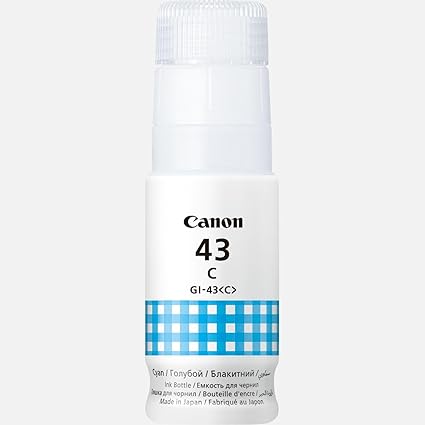
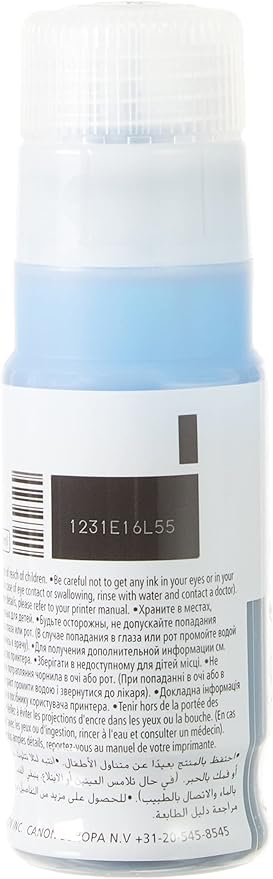
The Canon GI-43C Cyan Ink Bottle is part of Canon’s MegaTank ink system, designed for use in printers such as the PIXMA G-series, including models like the PIXMA G640 and PIXMA G5020. This ink bottle provides the cyan ink needed to fill the printer’s ink tank, offering high-quality color prints, particularly for documents and images that require precise and vibrant cyan tones.
Key Features of Canon GI-43C Cyan Ink Bottle:
High-Yield Ink Bottle:
The Canon GI-43C Cyan Ink Bottle provides a high yield, allowing users to print a large number of pages per bottle. This makes it an excellent option for businesses or home users who print frequently, as it reduces the need for frequent ink replacements.
Large Volume Capacity:
The GI-43C ink bottle is designed with a 135 ml capacity, providing a significant volume of ink, which contributes to reduced running costs over time. This is a key feature of the MegaTank system, which is aimed at providing economical printing.
Easy Refilling:
The ink bottle is designed to be easy to refill into the printer’s ink tank, minimizing mess and spillage. Canon’s ink bottles are equipped with a spill-proof nozzle that allows for clean and simple refills.
Quality Prints:
The cyan ink provides high-quality color reproduction, ensuring that prints have vivid and accurate colors, especially in photo and graphic prints. The ink formulation is designed to provide long-lasting, fade-resistant prints, ideal for both documents and photos.
MegaTank Ink System Compatibility:
The GI-43C ink bottle is specifically designed to work with printers that utilize the MegaTank ink system. This ink system is a refillable ink tank system, which is more cost-effective than traditional cartridge systems.
Eco-Friendly:
With high-yield ink bottles, users can print more while reducing plastic waste, as the MegaTank system does not require frequent cartridge replacements.
Specifications of Canon GI-43C Cyan Ink Bottle:
Color: Cyan
Ink Type: Dye-based ink
Ink Volume: 135 ml
Compatibility:
PIXMA G-series printers such as PIXMA G640, PIXMA G5020, and PIXMA G7065.
Part Number: GI-43C (for cyan)
Benefits of Using the Canon GI-43C Cyan Ink Bottle:
Cost-Effective Printing:
The high volume of ink in the GI-43C bottle allows users to print more pages, lowering the cost per page and making it an economical solution for high-volume printing.
Longer Print Runs:
The large capacity of the GI-43C ink bottle means fewer refills, providing uninterrupted printing for extended periods, which is especially beneficial for businesses or environments that require consistent print output.
High-Quality Output:
Canon’s dye-based inks produce vibrant, sharp, and clear prints with smooth color gradations, ideal for printing photos and detailed color documents.
Convenient and Clean Refills:
The ink bottles come with a spill-proof nozzle, allowing for hassle-free refilling with minimal mess.
How to Use the Canon GI-43C Cyan Ink Bottle:
Prepare the Printer:
Ensure your printer is turned on and ready to be refilled.
Open the ink tank cover of the printer.
Check Ink Tank Level:
Check the existing ink level of the cyan tank to determine if it needs refilling.
Open the Ink Bottle:
Remove the cap from the GI-43C Cyan Ink Bottle.
Align the bottle with the ink tank.
Refill the Ink Tank:
Place the ink bottle on top of the printer’s cyan ink tank and allow it to refill. The ink bottle will stop dispensing ink automatically once the tank is full.
Close the Ink Tank Cover:
Once refilled, close the ink tank cover, ensuring the ink bottle is properly disposed of or stored for future use.
Check Ink Levels:
After refilling, check the printer’s display for ink levels to confirm the refill was successful.







There are no reviews yet.