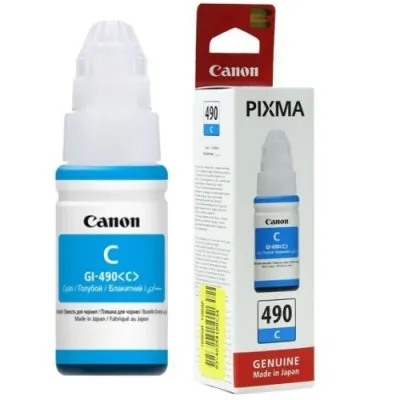
The Canon GI 490 C Ink Bottle is a cyan ink bottle from Canon’s MegaTank ink bottle series, designed for high-volume printing with Canon PIXMA G-series printers. The MegaTank system uses large-capacity ink tanks that allow users to print more for less, providing significant cost savings in comparison to traditional ink cartridges. The GI-490 C is part of this series and is used specifically for color printing when paired with other inks in the GI-490 series, such as black (BK), magenta (M), and yellow (Y).
The Canon GI-490 C Ink Bottle offers high yield, allowing for up to 7,700 pages of color prints (based on ISO/IEC 24711 test). This reduces the frequency of ink replacements and lowers the overall cost per page compared to traditional cartridges.
It’s an ideal solution for those who need to print large volumes of color documents or photos while keeping costs low.
MegaTank Ink System:
The MegaTank technology uses a refillable ink tank system that helps reduce waste and saves money in the long run.
The spill-resistant design of the ink bottles ensures an easy and clean refill process, minimizing mess.
Color Quality:
The GI-490 C ink bottle provides vibrant cyan ink, making it perfect for printing documents with color graphics, photos, and illustrations. This cyan ink works well alongside the other colors (magenta, yellow, and black) to produce clear, bright prints.
Environmentally Friendly:
Since the MegaTank system uses refillable ink bottles instead of disposable ink cartridges, the overall environmental impact is reduced. This eco-friendly design is more sustainable for users who regularly print high volumes of documents.
Easy Refilling:
Refilling the printer’s ink tank is a simple, mess-free process. The Canon GI-490 C ink bottle has a designed nozzle that fits securely into the printer’s ink tank, allowing for a smooth and easy refill without spills.
Compatible with Canon PIXMA G-Series Printers:
The GI-490 C ink bottle is compatible with several Canon PIXMA G-series printers, such as the PIXMA G1000, G2000, G3000, G4000, and other models that support the MegaTank ink system.
Ink Type: Dye-based ink (provides vibrant colors for high-quality photo and color document printing)
Benefits of Using Canon GI 490 C Ink Bottle
High Yield:
With a yield of up to 7,700 pages, the GI-490 C ink bottle ensures fewer ink replacements, saving time and reducing costs for users who print large volumes of color documents.
Cost-Effective:
The MegaTank ink system significantly reduces the overall cost-per-page for color printing, making it an affordable option for home offices, small businesses, and photo printing.
Vibrant Color Prints:
The cyan ink delivers excellent color reproduction, making it suitable for printing high-quality color documents, photos, and graphics.
Easy to Refill:
The ink bottle’s spill-proof design ensures a clean and simple refilling process, so you can top up your printer’s ink tank without any mess.
Eco-Friendly:
The refillable MegaTank system reduces the need for disposable cartridges, which helps reduce environmental waste and contributes to more sustainable printing practices.
Convenience and Versatility:
The GI-490 C is part of a full set of ink bottles, which includes black, cyan, magenta, and yellow inks, providing a versatile solution for printing high-quality color documents, reports, photos, and more.
How to Install Canon GI 490 C Ink Bottle
Prepare the Printer:
Turn off the printer and open the front panel to access the ink tanks.
Remove the Empty Ink Bottle:
If replacing an empty ink bottle, carefully remove it from the ink tank compartment.
Open the GI-490 C Ink Bottle:
Unwrap the Canon GI-490 C cyan ink bottle, remove any protective seals, and open the cap to prepare for refilling.
Refill the Ink Tank:
Insert the nozzle of the GI-490 C ink bottle into the ink tank opening of the printer. The design of the bottle ensures that it fits only in the correct orientation.
Squeeze the ink bottle gently to allow the ink to flow into the tank. The ink bottle will stop dispensing once the tank is full.
Close the Printer:
After the tank is full, remove the ink bottle and securely close the printer’s front panel.
Perform a Test Print:
Turn on the printer and perform a test print to ensure that the ink has been properly installed and is functioning correctly.


 canon, Canon Printers, Inkjet, Inkjet Printer, Printers


There are no reviews yet.