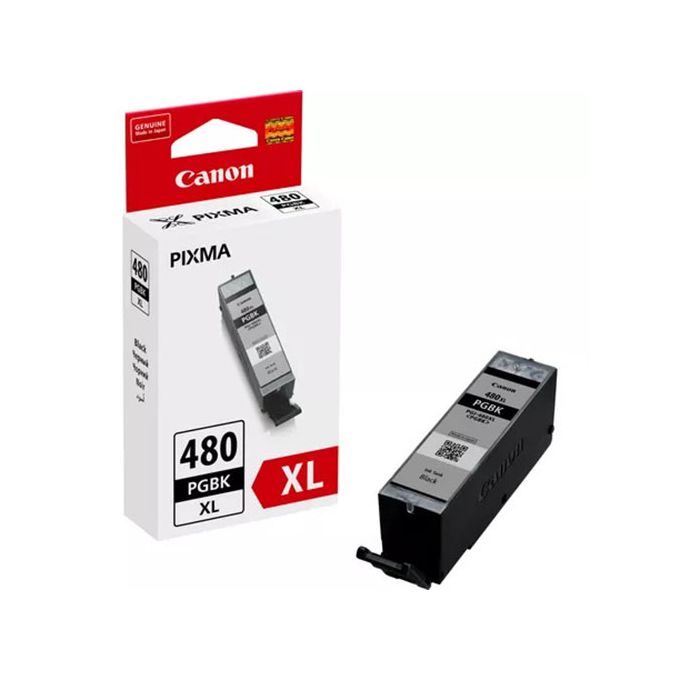
The Canon Ink Cartridge PGI-480 PGBK is a pigment-based black ink cartridge designed to produce sharp, professional-quality prints. It is ideal for text documents, high-contrast graphics, and other materials requiring crisp black output. The cartridge is compatible with a range of Canon PIXMA printers, ensuring consistent performance and excellent results.
Key Features
Pigment-Based Ink:
Offers exceptional sharpness and clarity, perfect for text and line work.
Reliable Performance:
Designed for seamless compatibility with Canon printers for consistent and trouble-free printing.
Smudge-Resistant Prints:
Pigment ink ensures durability and resistance to smudging, even on plain paper.
ChromaLife100 Compatibility:
Works with Canon’s printing system to provide long-lasting prints.
Eco-Friendly Design:
Easy to recycle through Canon’s recycling programs.
Specifications Canon Ink Cartridge PGI-480 PGBK
Cartridge Type: Inkjet
Color: Black (PGBK – Pigment Black)
Ink Type: Pigment-based
Yield:
Standard yield: Approximately 300 pages (depending on paper and print settings).
Weight: Approx. 25 g
Packaging Dimensions: Compact and easy to store.
Compatibility:
Compatible with select Canon PIXMA printer models (verify your specific model for compatibility).
Benefits Canon Ink Cartridge PGI-480 PGBK
Professional-Grade Prints:
Ensures sharp, high-quality text and graphics ideal for documents and presentations.
Durable Output:
Resistant to water and fading, making it suitable for archival purposes.
Cost-Effective Solution:
Standard yield balances affordability and print volume.
Easy Installation:
Simple to replace for minimal downtime during printing tasks.
Versatility:
Performs well on a variety of media types, including plain and photo paper.
How to Install Canon Ink Cartridge PGI-480 PGBK
Prepare the Printer:
Ensure the printer is powered on and in idle mode.
Access the Cartridge Slot:
Open the printer cover to access the cartridge compartment.
Remove the Old Cartridge:
Press down gently on the existing cartridge and slide it out.
Unpack the New Cartridge:
Remove the PGI-480 PGBK cartridge from its packaging and peel off the protective tape.
Insert the New Cartridge:
Align the cartridge with the correct slot and press it down firmly until it clicks into place.
Close the Printer Cover:
Ensure the cover is securely closed and allow the printer to initialize.
Run a Test Print:
Print a sample page to confirm the installation and check the print quality.




There are no reviews yet.