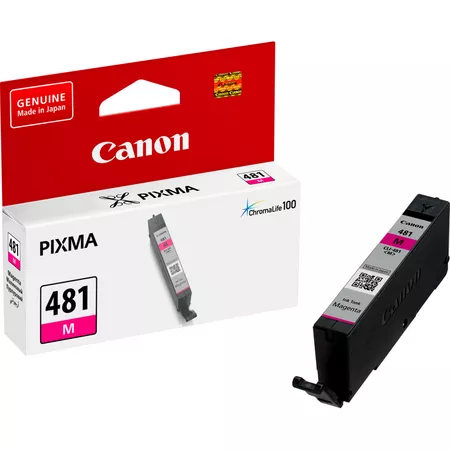
Canon Ink Tank CL-481M
The Canon Ink Tank CL-481M is a high-quality magenta ink tank designed to produce vibrant, precise colors. It is ideal for photo printing, colorful graphics, and other creative applications. This dye-based ink is compatible with a range of Canon PIXMA printers, ensuring consistent, high-quality results with every print.
Key Features
- Vivid Magenta Color:
- Delivers bright, accurate magenta tones for stunning photo and graphic prints.
- High-Quality Dye-Based Ink:
- Ensures smooth and seamless gradients, enhancing the vibrancy of your prints.
- ChromaLife100 Technology:
- Provides long-lasting prints when used with Canon photo papers, ensuring fade resistance and archival quality.
- Eco-Conscious Design:
- Easy to recycle through Canon’s cartridge recycling program.
- Seamless Compatibility:
- Specifically engineered for Canon PIXMA printers to provide reliable performance.
Specifications Canon Ink Tank CL-481M
- Cartridge Type: Ink Tank
- Color: Magenta (CL-481M)
- Ink Type: Dye-based
- Yield:
- Standard yield: Approximately 200 pages (depending on content and settings).
- Weight: Approx. 15 g
- Compatibility:
- Works with select Canon PIXMA inkjet printers (check your printer’s model for compatibility).
Benefits Canon Ink Tank CL-481M
- Exceptional Color Quality:
- Produces rich magenta tones, enhancing the vibrancy and realism of images.
- Reliable and Consistent Output:
- Reduces the risk of streaking or smudging, ensuring clean and professional results.
- Long-Lasting Prints:
- Fade-resistant properties make it ideal for archiving photographs and important documents.
- User-Friendly:
- Compact and easy to install, minimizing downtime.
- Cost-Effective:
- A great balance of price and performance for everyday or professional color printing needs.
How to Install Canon Ink Tank CL-481M
- Prepare the Printer:
- Turn on the printer and ensure it is idle before proceeding.
- Open the Printer Cover:
- Access the ink tank compartment by lifting the printer cover.
- Remove the Empty Ink Tank:
- Press gently on the used magenta tank and pull it out carefully.
- Unpack the New Ink Tank:
- Take the CL-481M out of its packaging and peel off the protective tape.
- Insert the New Ink Tank:
- Align the tank with the magenta slot and press it down until it clicks securely into place.
- Close the Printer Cover:
- Ensure the cover is completely closed and let the printer recognize the new tank.
- Run a Test Print:
- Perform a test print to confirm installation and verify color quality.


There are no reviews yet.