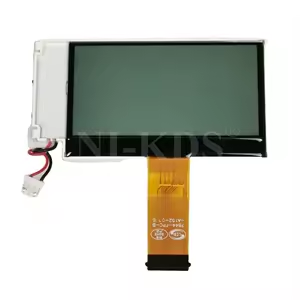
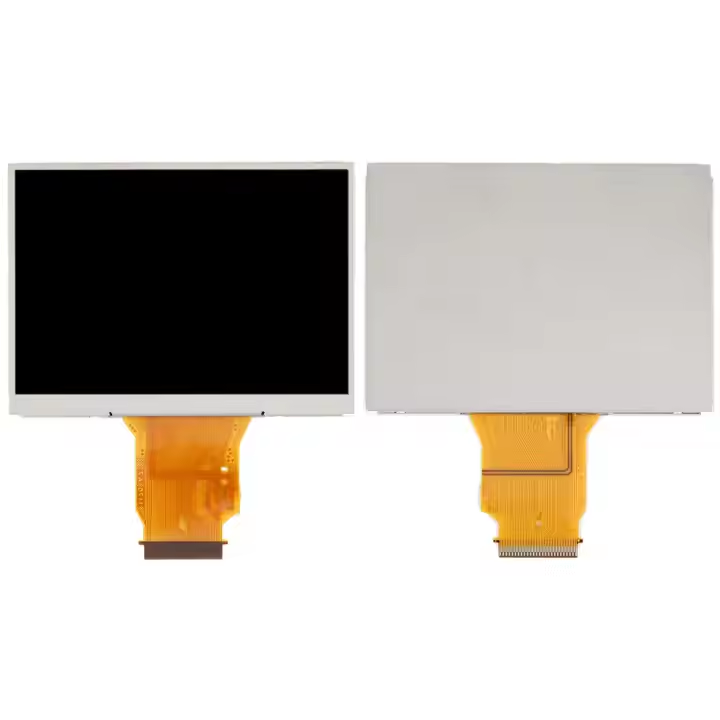
The Canon LCD Unit Set typically refers to a replacement or spare part for the LCD display of Canon printers, cameras, or other devices that use LCD screens for operation and user interface. The LCD unit is critical in displaying information, settings, and menus, making it essential for the functionality of these devices.
Here’s a more detailed look at Canon LCD Unit Set, particularly in the context of Canon printers and devices:
Key Features of Canon LCD Unit Set:
Compatibility:
LCD unit sets are designed specifically for particular Canon models such as printers, cameras, or copiers. They are intended to replace malfunctioning or damaged LCD screens with original parts, ensuring that the device continues to work efficiently.
High-Quality Display:
Canon LCD units are designed for clear, high-resolution display, offering sharp visuals that allow users to interact with the device seamlessly. This is crucial for user interface navigation and the display of important information.
Durability:
Canon’s LCD units are built to last, using high-quality components to ensure that they can withstand regular usage in various Canon devices. They are resistant to wear, light scratches, and damage that may occur during routine use.
User Interface Functionality:
The LCD unit is a vital part of the user interface of Canon devices. It allows users to access menus, settings, printing options, and feedback during operations, making it an essential component for interactive devices.
Easy Replacement:
The LCD unit set is designed for straightforward replacement, and it typically comes with detailed instructions. Depending on the model, the part may require professional installation or may be easily replaced by the user with basic tools.
Specifications of a Typical Canon LCD Unit Set (for Printers):
Display Size: Typically ranges from 2.7 inches to 10.1 inches, depending on the device model.
Resolution: Varies from 240 x 320 pixels to higher resolutions (HD or Full HD) depending on the model and the intended purpose of the display.
Connection Type: The unit is usually connected via ribbon cables or specific connectors, designed to interface with the mainboard of the device.
Compatibility: Can vary based on the specific printer, copier, or camera model (e.g., Canon Pixma, Canon imageRUNNER, Canon EOS cameras, etc.).
Examples of Devices Using Canon LCD Unit Set:
Canon Printers:
In multifunction printers (MFPs) and all-in-one devices like the Canon PIXMA and Canon imageRUNNER series, the LCD display provides access to settings, print jobs, and scanning functionalities.
Canon Cameras:
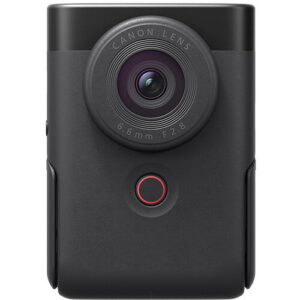
Canon EOS cameras and compact digital cameras use LCD screens for real-time previews, menu navigation, and playback of images and videos. LCD unit sets for these cameras might include touchscreens or regular non-touch displays, depending on the model.
Canon Copiers:
In Canon copiers and multifunction printers, the LCD unit is the primary interface for scanning, copying, faxing, and printing operations. This display provides access to settings and functions in business environments.
Canon Projectors:
Canon projectors use LCD screens for displaying control options, video feed, and menus. If the screen malfunctions, a replacement LCD unit set would be required.
How to Replace an LCD Unit in a Canon Device:
Ensure Compatibility:
Check the model number and compatibility of the LCD unit with your specific Canon device.
Power Off the Device:
Always power off and unplug the device before attempting any repairs to avoid electrical shock or damage.
Disassemble the Device:
Depending on the device, you may need to remove screws or open compartments to access the LCD unit. This often requires specific tools, such as screwdrivers or plastic pry tools.
Remove the Old LCD Unit:
Gently disconnect the LCD ribbon cable or connector and carefully remove the damaged or malfunctioning LCD unit from its mounting.
Install the New LCD Unit:
Position the new LCD unit in place, connecting it properly to the ribbon cable or connector. Make sure everything is securely fixed.
Reassemble and Test:
Close the device, screw everything back in place, and power it on. Check the functionality of the new LCD screen to ensure it is working correctly.
Benefits of Replacing an LCD Unit in Canon Devices:
Improved User Experience:
A functional LCD display enhances the usability of your Canon device by providing clear visuals and responsive touch options (if applicable).
Restoration of Device Functionality:
Replacing a damaged LCD unit restores the device’s full functionality, allowing you to use all features that rely on the screen, such as navigation, settings adjustments, and operational feedback.
Cost-Effective Solution:
Instead of replacing the entire device, installing a replacement LCD unit can be a more affordable option to restore the device to its original condition.
Preservation of Device Value:
Replacing a broken LCD unit in a Canon device can extend its life and preserve its value, especially for high-end models like Canon printers or cameras.
Conclusion:
The LCD Unit Set for Canon devices is an essential component for restoring functionality in Canon printers, cameras, copiers, or other equipment that rely on LCD displays.






There are no reviews yet.