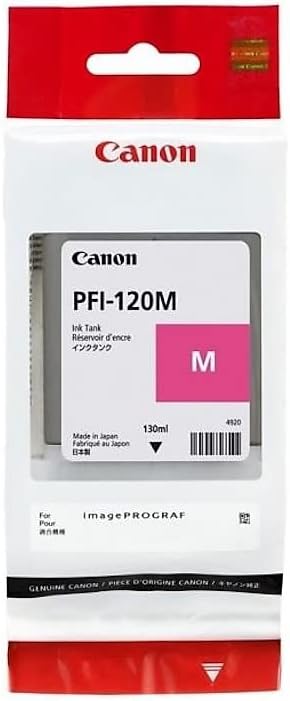
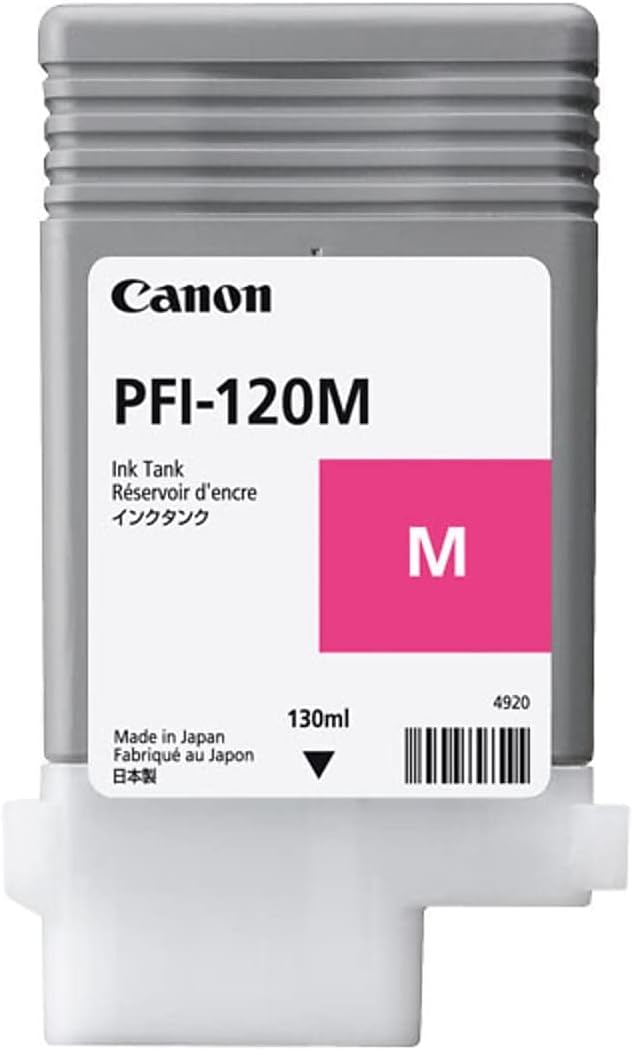
The Canon PFI-120 M is an ink cartridge used for Canon’s professional large-format printers, providing Magenta ink. This cartridge is part of the PFI-120 series, which includes other color options for high-quality printing needs.
Key Features of Canon PFI-120 M:
Ink Type: The PFI-120 M uses pigment-based ink, which is known for its durability and resistance to fading. This helps ensure that prints maintain their vibrancy and clarity over time.
Color: Magenta – This color is one of the key components in the CMYK color model, important for accurate color reproduction in high-quality prints.
Compatibility: Compatible with Canon imagePROGRAF series large-format printers, including models such as the PRO-1000, PRO-2000, PRO-4000, and other similar devices.
Easy Integration: Designed for simple integration into Canon’s ink systems, ensuring smooth operation and print quality.
Professional-Grade Quality: Ideal for high-end printing tasks, including photography, graphic design, and fine art prints.
Specifications: Canon PFI-120 M
Ink Color: Magenta
Ink Type: Pigment-based ink
Cartridge Capacity: 130 ml (or other capacities depending on region or specific printer model)
Print Yield: Yield varies depending on print settings and printer model, but generally, it provides a high yield for large-format prints.
Compatibility: Designed for use with Canon’s imagePROGRAF PRO series of printers and other compatible models.
Model Number: PFI-120 M
Technology: Uses Canon’s FINE (Full-photolithography Inkjet Nozzle Engineering) technology for precision and high-quality prints.
Canon PFI-120 M Weight:
The Canon PFI-120 M ink cartridge typically weighs around 0.3 to 0.4 kg (approximately 300–400 grams). The exact weight may vary depending on packaging and distribution factors.
Benefits of Canon PFI-120 M:
Superior Print Quality: Provides vibrant magenta colors, ideal for printing rich graphics, professional photos, and high-resolution images.
Long-Lasting Prints: As a pigment-based ink, it ensures that prints have exceptional resistance to fading, making them durable for both indoor and outdoor use.
High Yield: Designed for professional-level printing, offering high yields that make it cost-effective for high-volume production.
Reliable Performance: Ensures stable and consistent printing quality, minimizing the risk of color inconsistencies or print errors.
Eco-Friendly: Canon offers cartridge recycling programs, allowing users to reduce their environmental footprint.
How to Install the Canon PFI-120 M Ink Cartridge:
Turn Off the Printer: Power off your Canon printer before installing the ink cartridge.
Open the Ink Compartment: Access the ink compartment by opening the side door of your printer.
Remove the Old Cartridge (if replacing): Gently remove the old or empty magenta cartridge by pulling it out of the slot.
Unbox the New Cartridge: Take the new Canon PFI-120 M cartridge out of its box. Be sure to remove any protective seals or packaging material.
Insert the New Cartridge: Carefully insert the Magenta cartridge into the designated slot (usually labeled as M). The cartridge should fit snugly into place.
Close the Ink Compartment: Once the cartridge is securely inserted, close the ink compartment door.
Turn On the Printer: Power on the printer. It may automatically recognize the new cartridge and run a brief initialization or ink priming process.
Check Ink Levels: Verify that the cartridge is correctly installed and that the printer recognizes it. You can check the ink levels on the printer’s display screen or through the printer software.
Tips for Installation:
Handle the cartridge carefully, especially the ink outlet area, to avoid damage or contamination.
Store the cartridges in a dry, cool place until you are ready to use them to prevent any degradation of the ink.
Follow the printer’s user manual for detailed instructions and troubleshooting if needed.






There are no reviews yet.