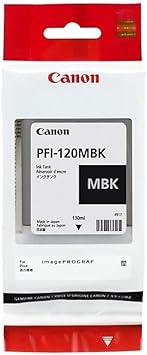
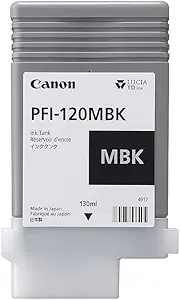
Canon PFI-120MBK Ink Tank
The Canon PFI-120MBK Ink Tank is a high-quality ink cartridge specifically designed for Canon Large Format Printers (LFPs). This Matte Black (MBK) ink provides professional-grade printing performance, making it ideal for graphics, technical documents, and fine art applications.
Key Features
- Exceptional Print Quality:
- Delivers smooth, deep blacks with precise detail for sharp and professional prints.
- Optimized for Large Format Printing:
- Formulated for high-resolution output, ensuring consistency across large-scale prints.
- Long-Lasting Performance:
- Designed to produce prints resistant to fading and smudging, ensuring durability over time.
- High Ink Capacity:
- Offers a capacity of 130 ml, allowing for extended usage and fewer interruptions.
- Seamless Integration:
- Fully compatible with specific Canon LFP models, ensuring error-free installation and operation.
Specifications: Canon PFI-120MBK Ink Tank
- Model: Canon PFI-120MBK
- Ink Type: Pigment-based Matte Black Ink
- Capacity: 130 ml
- Compatibility:
- Compatible with Canon Large Format Printers, including:
- imagePROGRAF TM Series: TM-200, TM-205, TM-300, TM-305
- imagePROGRAF TA Series: TA-20, TA-30
- Compatible with Canon Large Format Printers, including:
Benefits: Canon PFI-120MBK Ink Tank
- Superior Print Quality:
- Ensures accurate color reproduction with deep blacks and sharp contrast.
- Cost-Effective:
- High-capacity ink reduces the frequency of replacements, minimizing downtime.
- Easy Installation:
- User-friendly design allows for quick and straightforward replacement.
- Durability:
- Resistant to water and light, making it ideal for long-term display and archival purposes.
- Environmentally Friendly:
- Designed with recycling in mind, compatible with Canon’s environmental programs.
Installation Guide: Canon PFI-120MBK Ink Tank
- Prepare the Printer:
- Ensure the printer is powered on and indicates a need for an ink replacement.
- Open the Ink Compartment:
- Locate the ink tank compartment by referring to your printer’s user manual.
- Remove the Old Ink Tank:
- Carefully take out the empty ink tank and dispose of it following local recycling guidelines.
- Unpack the New Ink Tank:
- Open the packaging and remove any protective seals or caps.
- Install the New Ink Tank:
- Insert the new tank into the appropriate slot, ensuring it clicks into place.
- Run a Test Print:
- Print a sample to verify proper installation and ink flow.


There are no reviews yet.