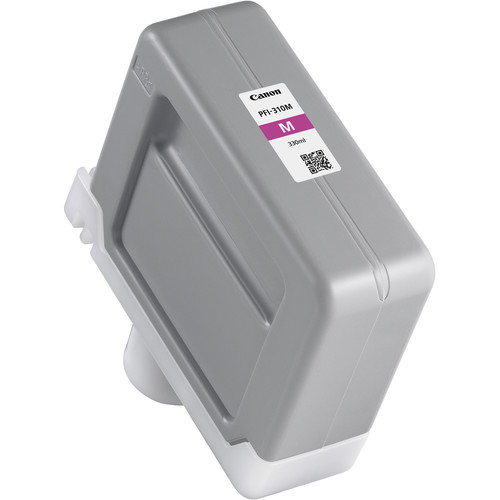
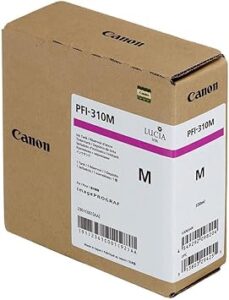
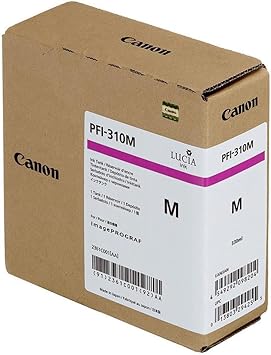
Canon PFI-310 Magenta Pigment Ink Tank
The Canon PFI-310 Magenta Pigment Ink Tank is a premium-quality consumable designed to deliver brilliant and consistent magenta tones for professional large-format printing. Canon’s advanced pigment-based ink ensures long-lasting results with excellent color fidelity, making it ideal for applications like fine art reproduction, photography, and vibrant graphic designs.
Key Features:
- Brilliant Color Reproduction:
- Produces vivid magenta shades for lifelike color accuracy and depth.
- Pigment-Based Durability:
- Fade-resistant and water-resistant for long-lasting, high-quality prints.
- Generous Capacity:
- Large 330 ml ink tank reduces the frequency of replacements.
- Optimized Printer Compatibility:
- Seamlessly integrates with Canon imagePROGRAF series printers.
- Environmentally Responsible:
- Recyclable materials support Canon’s eco-conscious practices.
Specifications: Canon PFI-310 Magenta Pigment Ink Tank
- Color: Magenta
- Ink Type: Pigment-based
- Capacity: 330 ml
- Weight: Approximately 0.8–1.0 kg (including packaging).
- Compatible Printers:
- Canon imagePROGRAF PRO-2100
- Canon imagePROGRAF PRO-4100
- Canon imagePROGRAF PRO-6100
- Other models in the Canon imagePROGRAF series (consult printer specifications).
- Technology: High-performance pigment ink for vibrant and durable prints.
Benefits: Canon PFI-310 Magenta Pigment Ink Tank
- Enhanced Print Quality:
- Provides superior color vibrancy and precision for professional-grade results.
- Long-Lasting Performance:
- Resistant to fading and water damage, ensuring prints remain vivid over time.
- High Productivity:
- Large-capacity tank reduces the need for frequent replacements during long print jobs.
- Cost-Effective Usage:
- Efficient ink utilization lowers operational costs.
- Sustainability:
- Recyclable cartridge materials align with environmentally friendly printing solutions.
How to Install: Canon PFI-310 Magenta Pigment Ink Tank
- Prepare the Printer:
- Turn on the printer and ensure it is ready for maintenance.
- Access the Ink Compartment:
- Open the ink tank compartment as specified in the printer manual.
- Remove the Old Ink Tank:
- Carefully release and remove the used PFI-310 Magenta ink tank.
- Unpack the New Ink Tank:
- Take the new PFI-310 Magenta from its packaging and avoid contact with the ink port.
- Insert the New Ink Tank:
- Align the tank with the magenta slot and push it in until it clicks securely.
- Close the Compartment:
- Ensure the compartment panel is securely closed.
- Verify Installation:
- Run a nozzle check or print test to confirm successful installation.


There are no reviews yet.