

-13%
canon, Canon Accessories, Canon Catridge, Canon Ink & Toner
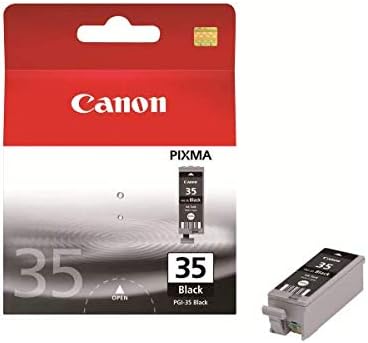
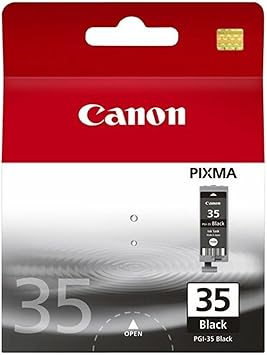
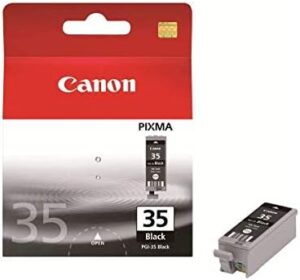
Canon PGI-35 Black Ink Cartridge | Reliable and High-Yield Printing
USD
$11.30 $13.00
The Canon PGI-35 Black Ink Cartridge is a high-quality ink solution designed to deliver crisp and professional black prints for everyday and professional printing needs. It is compatible with compact Canon printers, making it ideal for personal, home office, or small business use.
Key Features:
- High-Quality Pigment Ink:
- Delivers sharp, smudge-resistant text and lines.
- Compact Design:
- Perfectly fits compatible Canon printers for smooth operations.
- Consistent Performance:
- Provides uniform ink flow for consistent print quality.
- Easy Installation:
- User-friendly design allows quick and hassle-free cartridge replacement.
- Eco-Friendly:
- Supports Canon’s recycling program for responsible disposal.
Specifications: Canon PGI-35 Black Ink Cartridge
- Color: Black
- Ink Type: Pigment-based ink for durability and crisp output.
- Print Yield: Approximately 191 pages (based on ISO/IEC 24711 standard).
- Weight: 50–100g (including packaging).
- Compatible Printers:
- Canon PIXMA iP100
- Other supported models (check your printer’s manual for full compatibility).
- Dimensions: Compact and lightweight for easy storage and handling.
Benefits: Canon PGI-35 Black Ink Cartridge
- Professional-Grade Prints:
- Ideal for text documents, reports, and monochrome graphics.
- Cost-Effective Solution:
- Offers excellent value with consistent page yields.
- Compact and Portable:
- Suitable for portable printers, ensuring reliable printing on the go.
- Eco-Conscious:
- Canon’s recycling initiatives help minimize environmental impact.
How to Install Canon PGI-35 Black Ink Cartridge
- Check the Cartridge Slot:
- Open your printer’s access panel to locate the ink cartridge compartment.
- Remove the Old Cartridge:
- Gently release and pull out the empty PGI-35 cartridge.
- Prepare the New Cartridge:
- Unpack the new cartridge and remove the protective film or tape.
- Insert the New Cartridge:
- Align the new PGI-35 cartridge with the designated slot and push it in until it clicks into place.
- Close the Panel:
- Securely close the printer access panel.
- Run a Test Print:
- Perform a test print to ensure the cartridge is installed correctly.


There are no reviews yet.