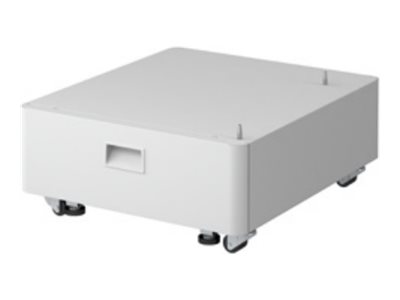
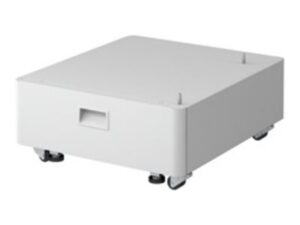
The Canon Plain Pedestal Type-S3 is an accessory designed for specific Canon multifunction printers and copiers, providing enhanced functionality, additional paper storage, and a more efficient work environment. This pedestal is typically used with Canon’s higher-end office equipment like the imageRUNNER and imageRUNNER ADVANCE series to offer a more organized and accessible printing environment.
Key Features of the Canon Plain Pedestal Type-S3:
Additional Paper Capacity:
The pedestal adds extra paper trays to the compatible Canon MFP, allowing users to load more paper and reduce the frequency of reloading the paper supply. This feature is particularly useful in environments with high print volumes.
Increased Stability and Height:
The pedestal elevates the printer or copier, improving its ergonomics by bringing it to a more comfortable working height. This can help reduce strain on users who frequently interact with the device for printing, scanning, or copying.
Streamlined Design:
The pedestal provides a clean and professional look to the workplace, keeping the area organized by offering space for additional paper storage. It can also be used for storing extra toner or other accessories.
Easy Access to Paper Trays:
It ensures that the paper trays and output bins are easily accessible, making paper management more efficient for users.
Enhanced Workflow:
By adding more paper storage and creating a better work surface, the Pedestal Type-S3 supports a more streamlined workflow, reducing interruptions during high-volume printing or copying tasks.
Durability and Compatibility:
The pedestal is built to last, offering robust support for Canon MFPs. It is designed specifically to be compatible with certain models, ensuring stability and performance.
Specifications of the Canon Plain Pedestal Type-S3:
Compatibility:
Designed for use with Canon imageRUNNER and imageRUNNER ADVANCE series multifunction printers.
Typically used with models like the Canon imageRUNNER ADVANCE and similar devices.
Paper Capacity:
Adds additional paper trays for improved paper storage and handling, depending on the specific model it is paired with.
Dimensions (W x D x H):
Specific dimensions vary depending on the printer model it is designed to work with.
Weight:
Approximate weight is around 10–15 kg (22–33 lbs), though this may vary slightly based on the model it is designed for.
Material:
Made from durable, high-quality materials designed to support the weight of the printer and additional paper supplies.
Benefits of the Canon Plain Pedestal Type-S3:
Enhanced Productivity:
Reduces downtime by allowing for greater paper capacity, so users do not have to reload paper frequently during busy periods.
Ergonomic Design:
Raises the printer to a more accessible height, making it easier to interact with the device and reducing the strain on users.
Aesthetic Appeal:
Provides a sleek, clean, and organized look to the workspace, keeping paper and supplies neatly stored.
Increased Storage:
The pedestal offers additional storage for paper and accessories, improving organization and workflow in the office.
Space Efficiency:
By adding a pedestal, the overall footprint of the printer system is optimized, saving space in the workplace while improving functionality.
How to Install the Canon Plain Pedestal Type-S3:
Unbox the Pedestal:
Carefully remove the pedestal from its packaging. Be sure to check that all components are included, such as screws, brackets, and paper trays (if applicable).
Assemble the Pedestal (if necessary):
Follow the instructions provided to assemble the pedestal, which may involve attaching shelves or brackets to the base.
Attach the Printer:
Lift the Canon printer or multifunction device and carefully place it onto the pedestal. Ensure the printer is securely positioned on the pedestal.
Connect Paper Trays:
If the pedestal includes extra paper trays, install these by sliding them into place under the printer, ensuring that they are aligned and properly seated.
Adjust Settings:
Once the pedestal is set up and the printer is in place, adjust the paper size settings and tray configurations if necessary to align with your printing needs.
Test the Setup:
Print a test page to verify that the printer is functioning correctly and that the paper trays are feeding paper properly from the pedestal.
Conclusion:
The Canon Plain Pedestal Type-S3 is a highly beneficial accessory for Canon imageRUNNER and imageRUNNER ADVANCE series MFPs. It offers additional paper storage, better organization, and ergonomic support for high-volume printing environments, enhancing overall productivity and efficiency in the office.





There are no reviews yet.