

Canon Pressure Roller FC9-8974 | RELIABLE | EFFICIENT | COMPACT
$44.00 $50.00
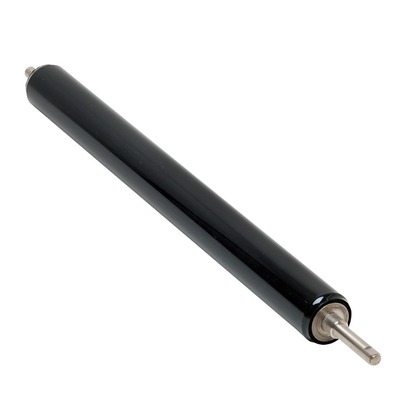
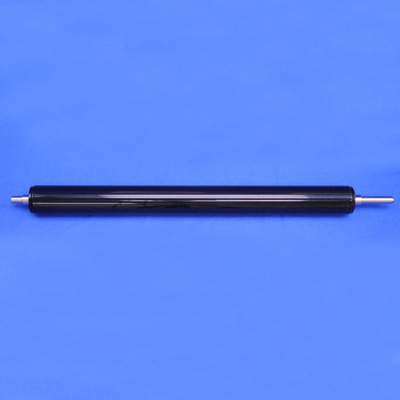
Canon Pressure Roller FC9-8974
The Canon Pressure Roller FC9-8974 is an essential component used in Canon laser printers and multifunction devices. This roller works in conjunction with the heat roller (or fuser) to ensure that the toner is properly fused onto the paper during the printing process. The pressure roller applies the necessary pressure to the toner as it passes through the fuser unit, ensuring that the toner adheres to the paper securely and is not easily smudged or removed.
Key Features
- Pressure Application:
The pressure roller plays a critical role in applying pressure during the fusing process, where toner is melted and permanently adhered to the paper. This ensures that the toner is properly fixed onto the paper, leading to clear, high-quality prints. - Even Pressure Distribution:
The roller ensures even pressure distribution across the paper as it passes through the fuser unit. This uniformity prevents issues like uneven toner adhesion, which could cause print defects such as faded text or incomplete images. - Durability:
Made of durable materials, the pressure roller is designed to withstand the heat and pressure involved in the fusing process, providing long-lasting performance. It ensures consistent results for many thousands of pages before requiring replacement. - Prevents Smudging and Toner Rub-Off:
The pressure roller helps prevent the toner from being smudged or rubbed off the paper, even when handling prints immediately after they are produced. This is especially important for high-quality prints that need to maintain their sharpness and clarity.
Specifications: Canon Pressure Roller FC9-8974
- Compatibility:
The FC9-8974 pressure roller is compatible with specific Canon printers and multifunction devices. Always ensure compatibility with your printer model before purchasing the part. - Material:
The pressure roller is typically made from high-quality rubber or similar materials designed to withstand heat and friction during the printing process. - Size:
The FC9-8974 pressure roller is designed to fit within Canon’s fuser assembly, ensuring that it applies the right amount of pressure to the paper as it passes through. The size will depend on the specific printer model. - Weight:
The weight of the FC9-8974 pressure roller is approximately 0.5 kg to 0.6 kg (500 grams to 600 grams), depending on packaging and model-specific variations. - Lifespan:
The pressure roller is typically rated for 50,000 to 100,000 pages or more, depending on usage. However, it may need to be replaced sooner if you notice print defects or if the roller shows signs of wear, such as cracking or uneven pressure application.
Benefits: Canon Pressure Roller FC9-8974
- Enhanced Print Quality:
By ensuring that toner is properly fused to the paper, the pressure roller contributes to crisp, clear, and long-lasting prints with no smudging or toner rub-off. - Reliable Performance:
The pressure roller ensures consistent performance in the fuser unit, reducing the likelihood of print defects and improving overall printer reliability. - Durability and Longevity:
Made from durable materials, the pressure roller is built to handle the high heat and pressure involved in the fusing process, ensuring a long lifespan with proper maintenance. - Prevents Paper Jams and Fuser Issues:
A well-maintained pressure roller ensures smooth paper flow and reduces the risk of paper jams in the fuser unit, keeping your printer operating without interruptions.
How to Replace the Canon Pressure Roller FC9-8974
- Turn off the Printer:
Always power off your printer and unplug it from the power source before replacing any components. - Access the Fuser Unit:
Depending on your printer model, open the printer’s rear access door or top cover to access the fuser unit, which houses the pressure roller. - Remove the Fuser Assembly:
Gently remove the fuser assembly from the printer. Be careful when handling it, as the fuser may be hot, especially if the printer has just been used. - Locate the Pressure Roller:
The pressure roller is typically located within the fuser unit. It is usually held in place by clips or other fastening mechanisms. - Remove the Old Pressure Roller:
Carefully detach the old pressure roller from its housing. Take note of the orientation of the roller so you can install the new one in the same way. - Install the New Pressure Roller:
Place the new FC9-8974 pressure roller into the fuser unit, ensuring it is seated securely and properly aligned. - Reinstall the Fuser Assembly:
Once the new roller is in place, reinstall the fuser assembly back into the printer. - Test the Printer:
After reassembling the printer, run a test print to ensure that the new pressure roller is functioning correctly, and that toner is being fused properly onto the paper.
Conclusion: Canon Pressure Roller FC9-8974
The Canon FC9-8974 Pressure Roller is a vital component in ensuring high-quality, durable prints in Canon laser printers. By applying the correct amount of pressure during the fusing process, the pressure roller ensures that toner adheres properly to the paper, preventing smudging and maintaining print quality. Its durable design provides long-lasting performance, and proper maintenance and timely replacement of the roller help keep your printer functioning smoothly and producing clear, professional results.
| Weight | 0.6 kg |
|---|


There are no reviews yet.