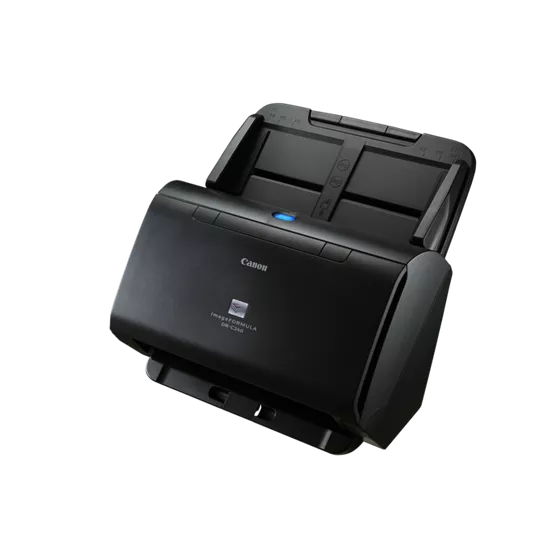
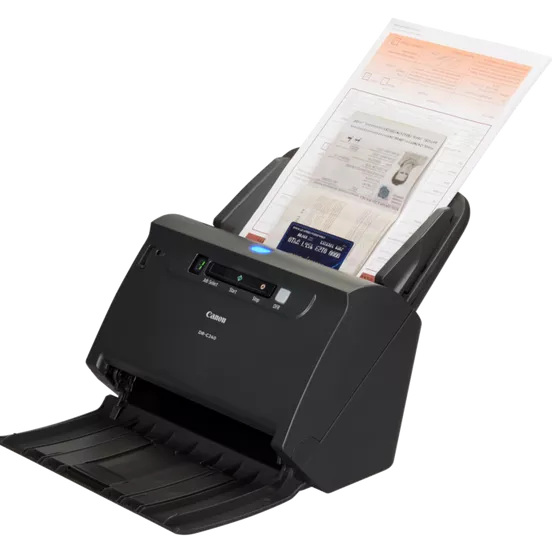
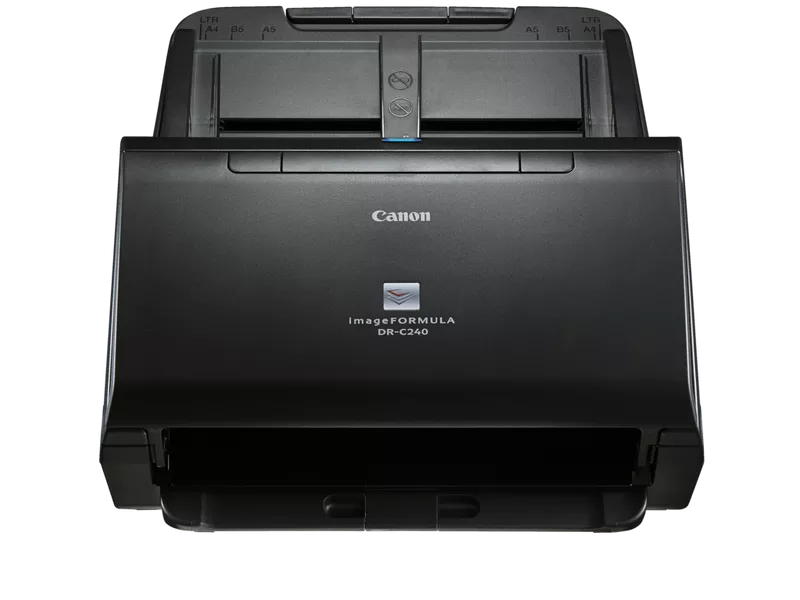
The Canon Scanner imageFORMULA DR-C240 is a high-performance document scanner designed for small to medium-sized businesses or home offices that require efficient and reliable scanning. It is part of Canon’s imageFORMULA lineup, known for delivering fast, high-quality scans for various types of documents. The DR-C240 is especially suitable for environments that need compact, robust scanning solutions for different document sizes and types.
The DR-C240 features a compact design that fits easily into environments where space is limited, yet it provides powerful scanning capabilities.
Its small footprint makes it an ideal choice for offices with limited desk space.
High-Speed Scanning:
The scanner can scan up to 45 pages per minute (ppm) in simplex (one side of the document) and 90 images per minute (ipm) in duplex (both sides of the document) scanning.
Fast, efficient scanning helps businesses quickly process large volumes of documents.
Automatic Document Feeder (ADF):
Equipped with a 60-sheet ADF, the DR-C240 allows for continuous scanning of batches of documents, reducing the need for manual intervention.
The ADF supports mixed-media scanning, which means it can handle different paper sizes, weights, and types in one batch.
High-Quality Resolution:
The scanner delivers an optical resolution of 600 x 600 dpi, ensuring that scanned images are crisp, clear, and accurate.
It provides excellent quality for both text and images, making it ideal for scanning contracts, receipts, business cards, photos, and other documents.
Duplex Scanning:
Duplex scanning enables the DR-C240 to scan both sides of a document in one pass, which boosts productivity and reduces the time spent on scanning tasks.
Flexible Paper Handling:
Supports a wide range of paper sizes, including A4, A5, business card, and legal-sized documents, and can scan long documents up to 118 inches (3 meters) in length.
Ideal for scanning a variety of documents, such as invoices, contracts, photographs, and business cards.
Advanced Image Processing:
The scanner includes features like auto color detection, auto deskew, and automatic cropping, which help improve the quality of scanned documents and reduce manual adjustments.
It also supports blank page removal, which ensures that empty pages are automatically discarded during the scanning process.
Connectivity:
The DR-C240 is equipped with USB 3.0 connectivity, providing fast data transfer speeds to ensure smooth operation.
It is compatible with both Windows and Mac operating systems, making it versatile for use in mixed environments.
Software Bundling:
The scanner comes with Canon CaptureOnTouch software, which simplifies document scanning workflows, enabling users to quickly scan and organize documents.
It supports scanning to a variety of destinations, such as email, cloud storage, and network folders, allowing for easy document sharing and management.
Security Features:
The DR-C240 supports password protection for scanned documents, adding an extra layer of security when handling sensitive information.
Specifications of Canon Scanner imageFORMULA DR-C240
Type: Sheet-fed, Duplex Color Image Scanner
Scanning Speed:
45 ppm in simplex (one-sided)
90 ipm in duplex (double-sided)
Resolution:
Optical Resolution: 600 x 600 dpi
Interpolated Resolution: Up to 1200 x 1200 dpi
ADF Capacity: 60 sheets
Supported Paper Sizes:
A4, A5, B5, Letter, Legal, Custom sizes
Long paper (up to 118 inches / 3 meters)
Connectivity: USB 3.0
Dimensions: 11.8 x 6.3 x 6.3 inches (W x D x H)
Weight: Approx. 5.1 kg (11.2 lbs)
Power Consumption: 18W (scanning), 2.5W (standby)
Supported Operating Systems: Windows 10, 8.1, 7, macOS 10.10 or later
Benefits: Canon Scanner imageFORMULA DR-C240
Efficiency:
High-speed scanning (45 ppm and 90 ipm) makes it an excellent choice for offices with high-volume scanning needs, improving workflow and productivity.
Compact and Flexible:
The DR-C240’s compact design and flexibility in paper handling make it suitable for small to medium-sized businesses that need to scan various document types efficiently.
Advanced Document Management:
With features like duplex scanning, automatic image enhancement, and cloud connectivity, the DR-C240 streamlines document management processes.
Cost-Effective:
The scanner is affordable compared to other high-performance models, making it an excellent choice for businesses looking to improve scanning operations without a large upfront investment.
Security and Reliability:
The ability to scan sensitive documents securely and the reliable image quality make it a trustworthy choice for businesses handling important paperwork.
How to Install: Canon Scanner imageFORMULA DR-C240
Unbox the Scanner:
Remove the Canon DR-C240 from its packaging and place it on a stable, flat surface.
Connect the Scanner:
Plug the scanner into an available USB port on your computer. Ensure the scanner is powered on.
Install the Drivers and Software:
Insert the provided CD into your computer’s disk drive or download the latest drivers and software from Canon’s website.
Follow the on-screen instructions to install the necessary drivers and software (e.g., CaptureOnTouch).
Connect to Power:
Plug the scanner into a power outlet and ensure it is powered on.
Load Documents:
Place documents into the 60-sheet Automatic Document Feeder (ADF).
Perform a Test Scan:
Use the bundled software (e.g., CaptureOnTouch) to perform a test scan and ensure the scanner is working correctly.




There are no reviews yet.