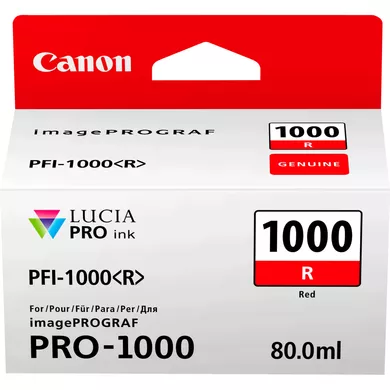
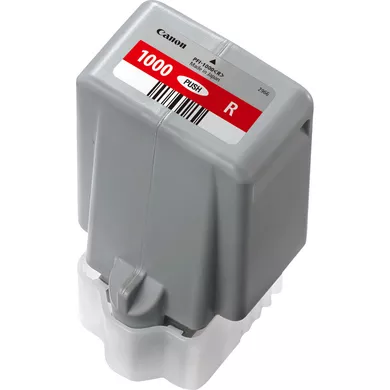
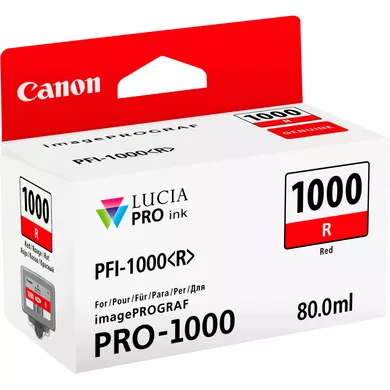
The INK CARTRIDGE CANON PFI-1000 R is an ink cartridge designed for use with certain Canon imagePROGRAF printers. Specifically, it is part of the Canon PFI-1000 series, which is used for large-format printing. The “R” in the cartridge’s name indicates that it contains Red ink.
High-Quality Print Output: The Canon PFI-1000 R is a red ink cartridge designed to deliver exceptional color precision and vibrant output, particularly in large-format photo and art prints.
Dye-Based Ink: The ink used in this cartridge is dye-based, which provides deep color saturation and a glossy finish, ideal for high-quality photo printing.
Wide Color Gamut: Helps in achieving a wide color range, making it suitable for professional-grade printing, including fine art, photographic prints, and other color-critical applications.
Long-lasting Prints: The ink is designed to resist fading and deliver prints that last over time, ensuring durability.
OEM Quality: As an original equipment manufacturer (OEM) cartridge, it provides a reliable, consistent printing experience without compromising quality.
Easy Integration: It is specifically designed for Canon’s imagePROGRAF PRO series, ensuring compatibility and easy integration with the printer’s software.
Specifications of INK CARTRIDGE CANON PFI-1000 R
Model Number: Canon PFI-1000 R
Ink Type: Dye-based ink
Color: Red
Cartridge Capacity: 80ml, 130ml, or 300ml (depending on the specific cartridge purchased)
Compatibility: Canon imagePROGRAF PRO-1000, PRO-2000, PRO-4000, PRO-4000S series
Dimensions: Varies depending on the cartridge size (approx. 5 x 1.5 x 3 inches for the 80ml version)
Print Yield: The yield depends on usage and print settings, but it’s designed to handle high volumes in a professional environment.
Benefits: INK CARTRIDGE CANON PFI-1000 R
Professional Print Quality: Ensures vibrant, rich, and consistent color reproduction, which is crucial for photographers, graphic designers, and print service providers.
Efficient and Reliable: Optimized for Canon printers, it provides consistent results, reducing the likelihood of issues such as clogging or ink smudging.
High Print Capacity: With the available 130ml or 300ml options, the cartridge is suitable for large print volumes, making it ideal for professional printing needs.
Cost-Effective for Large Print Runs: Larger-capacity cartridges reduce the need for frequent replacements, helping save time and reduce printing costs over time.
Improved Color Accuracy: Especially for prints requiring red hues, the PFI-1000 R helps achieve more accurate color matching and finer gradations in red tones.
Easy Installation and Maintenance: Being a Canon original cartridge, it is designed for quick and hassle-free installation without compatibility or performance concerns.
How to Install INK CARTRIDGE CANON PFI-1000 R
Turn Off the Printer: Before replacing or installing any ink cartridges, turn off the printer and wait for the printer to fully shut down.
Open the Ink Cartridge Cover: On the Canon imagePROGRAF printer, open the front cover or the ink compartment door. This will expose the ink cartridge slots.
Remove the Old Cartridge (if applicable): If you are replacing an old cartridge, carefully remove it by pressing the release button or lever (depending on the model), and then pull the cartridge out.
Unbox the New Cartridge: Take the new Canon PFI-1000 R ink cartridge out of its packaging. Be careful not to touch the ink spout to avoid contamination or damage.
Install the New Cartridge: Align the cartridge with the designated slot for the red ink (R) and gently insert it into place. Ensure the cartridge is securely seated and clicks into position.
Close the Ink Cartridge Cover: After installing the cartridge, close the cover of the ink compartment.
Turn On the Printer: Power on the printer and follow any on-screen instructions to confirm the ink cartridge installation. The printer may perform an automatic ink priming or alignment process.
Run a Test Print: After installation, run a test print to ensure that the cartridge is functioning properly and the ink is flowing smoothly.




There are no reviews yet.