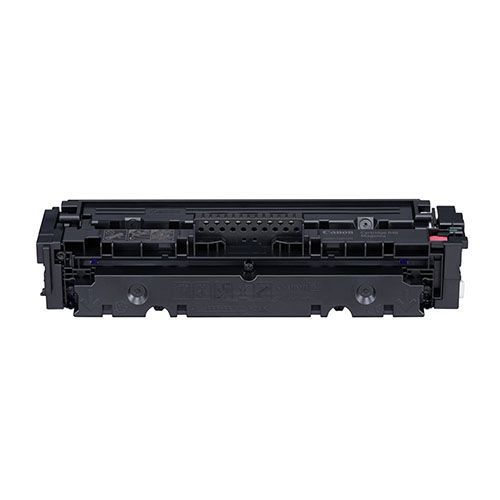
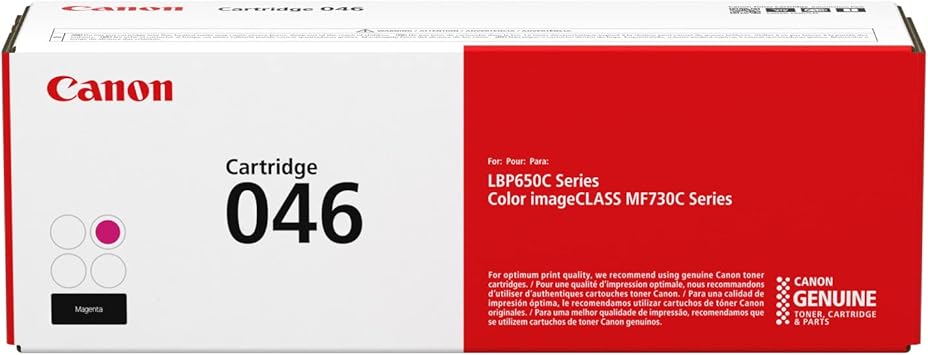
The Canon 046 Magenta Toner Cartridge is a high-performance consumable designed for use in Canon color laser printers. It delivers vibrant magenta hues with excellent consistency, ensuring professional-quality prints for both business and personal use.
Key Features: Canon 046 Magenta Toner Cartridge
Vivid Magenta Output:
Produces sharp, vibrant magenta tones for striking visuals and high-quality documents.
Printer Compatibility:
Works seamlessly with the following Canon Color imageCLASS printers:
MF735Cdw
MF733Cdw
MF731Cdw
LBP654Cdw
Page Yield:
Prints up to 2,300 pages at 5% page coverage.
Weight:
Cartridge weight: Approximately 0.6 kg (600 grams).
Eco-Friendly Design:
Fully recyclable through Canon’s toner recycling program.
Easy to Install:
User-friendly design for quick and hassle-free replacement.
Benefits Magenta Toner Cartridge
High-Quality Output:
Produces vibrant magenta color, ideal for presentations, marketing materials, and more.
Efficient Performance:
Delivers a high page yield, reducing replacement frequency and operational costs.
Seamless Integration:
Designed to work flawlessly with compatible Canon printers, ensuring consistent performance.
Sustainability:
Promotes environmentally friendly practices through Canon’s recycling program.
How to Install the Canon 046 Magenta Toner Cartridge
Prepare the Printer:
Turn off the printer and allow it to cool before replacing the toner cartridge.
Access the Toner Compartment:
Open the printer’s toner access panel.
Remove the Old Cartridge:
Gently pull out the depleted magenta toner cartridge and set it aside for recycling.
Unpack the New Cartridge:
Take the new Canon 046 Magenta Toner Cartridge out of its packaging and shake it gently to distribute the toner evenly.
Remove Protective Seals:
Carefully peel off all seals and protective covers from the cartridge.
Insert the New Cartridge:
Align the cartridge with the magenta slot in the printer and slide it in until it clicks securely.
Close the Access Panel:
Ensure the toner compartment is securely closed.
Test the Printer:
Run a test print to confirm successful installation and optimal performance.




There are no reviews yet.