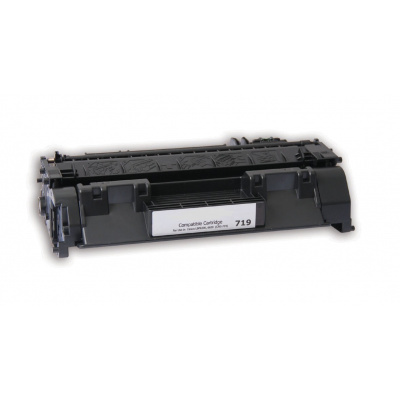
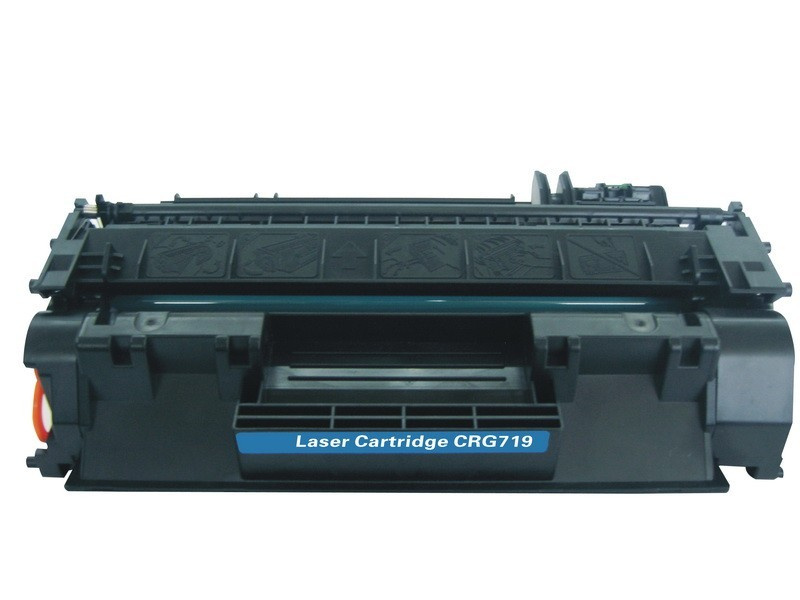
The Canon LBP CRG 719 EUR Toner Cartridge is an original toner cartridge designed for use in certain Canon laser printers, specifically those in the LBP series. It is meant to deliver high-quality prints with a relatively high page yield, making it a reliable choice for small to medium-sized offices or home use.
Key Features:
Compatibility:
The Canon CRG 719 EUR toner cartridge is compatible with several models of Canon’s LBP series laser printers. This includes models such as:
Canon LBP 6020
Canon LBP 6030
Canon LBP 6000
Canon LBP 7018C
Canon LBP 6030B
And other similar LBP series printers.
It is important to verify compatibility with your specific printer model before purchasing the cartridge.
Print Quality:
The Canon CRG 719 toner cartridge produces sharp, high-quality black-and-white prints, ideal for office documents, reports, text-heavy materials, and professional presentations.
Page Yield:
The CRG 719 cartridge offers an approximate yield of 1,600 pages based on 5% page coverage on A4 paper. This yield can vary depending on the document type, text density, and page complexity.
Easy Installation:
Designed for user-friendly installation, the CRG 719 toner cartridge can be replaced easily without the need for specialized tools. It is compatible with printers that have been specifically designed for easy toner cartridge replacement.
Original Canon Quality:
As an original Canon toner cartridge, the CRG 719 ensures optimal performance and print quality when used in compatible Canon printers. It provides consistent results with minimal maintenance required.
Eco-Friendly:
Canon supports recycling for its toner cartridges, and the CRG 719 is no exception. Used cartridges can be returned to Canon for proper recycling, contributing to environmental sustainability.
Page Yield: Approx. 1,600 pages at 5% coverage (A4 paper)
Toner Type: Laser toner, designed for high-performance printing
Cartridge Color: Black
Dimensions: Approx. 365 x 100 x 120 mm (L x W x H)
Weight: Approximately 0.8 kg
Benefits: Canon LBP CRG 719 EUR Toner Cartridge
Consistent Print Quality:
The Canon CRG 719 toner produces high-quality, professional-looking prints with sharp text and clear images.
Cost-Effective:
Offering a relatively high page yield (1,600 pages), it helps reduce the overall cost-per-page compared to cheaper or non-original alternatives. This is especially beneficial for businesses or individuals with regular printing needs.
Reliability:
Canon’s original cartridges like the CRG 719 are designed for the best compatibility and consistent, trouble-free performance with Canon printers, reducing the risk of print errors, jams, or subpar output.
Environmental Responsibility:
Canon provides recycling programs for used toner cartridges, allowing users to return their empty cartridges to be properly recycled, minimizing environmental impact.
Minimal Downtime:
With a yield of 1,600 pages, the CRG 719 toner cartridge lasts longer than many other toner cartridges, reducing the frequency of replacement and helping maintain workflow in busy office environments.
How to Install Canon LBP CRG 719 EUR Toner Cartridge:
Turn Off the Printer:
Power off the printer and unplug it to ensure safety during the cartridge replacement.
Open the Printer’s Front Cover:
Locate the front cover of the printer and open it to access the toner cartridge compartment.
Remove the Old Toner Cartridge:
Gently pull out the old toner cartridge from the compartment. Be cautious not to spill any toner powder during removal.
Prepare the New Toner Cartridge:
Take the Canon LBP CRG 719 EUR toner cartridge out of its packaging. Gently shake the cartridge from side to side to distribute the toner evenly inside.
Insert the New Toner Cartridge:
Slide the new toner cartridge into the designated slot inside the printer. Make sure it clicks securely into place.
Close the Printer Cover:
Once the cartridge is securely in place, close the printer’s front cover.
Turn on the Printer:
Plug the printer back in and power it on.
Print a Test Page:
Run a test print to ensure the cartridge is properly installed and that the printer is functioning as expected.







There are no reviews yet.