-9%
, , , ,

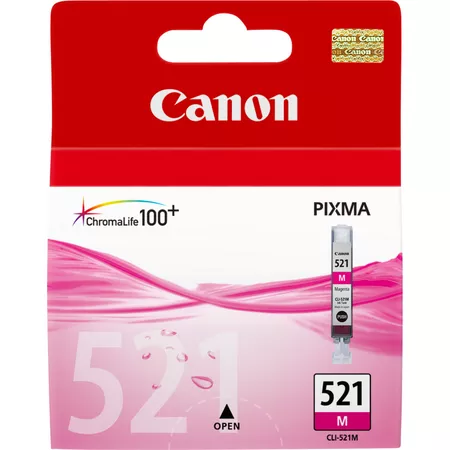
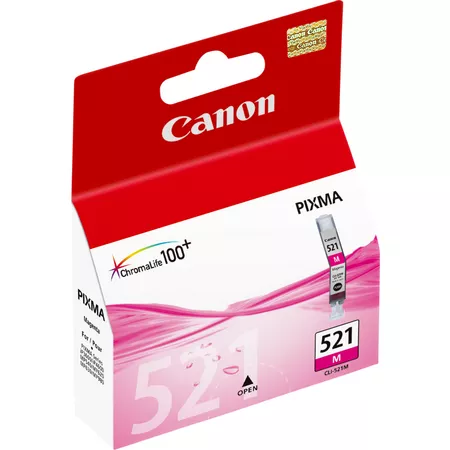
Canon PIXMA CL-521M | High Yield Printing

USD
  • NGN
  • USD
  • GBP

$11.83 $13.00

Buy via WhatsApp Now

Canon PIXMA CL-521M: Overview

The Canon PIXMA CL-521M is a magenta ink cartridge designed to deliver vivid color output for Canon PIXMA printers. It is part of Canon’s 521 ink series and ensures consistent, high-quality results for photos, documents, and creative projects. With dye-based ink and ChromaLife100+ technology, this cartridge is ideal for both home and professional printing needs.

Canon PIXMA CL-521M

Key Features

  1. Rich Magenta Colors: Produces vibrant, accurate magenta tones for true-to-life color reproduction.
  2. ChromaLife100+ Technology: Ensures prints resist fading for up to 100 years under optimal conditions when used with Canon papers and printers.
  3. Individual Ink Tank System: Replace only the color that is empty, minimizing waste and saving money.
  4. Optimized Compatibility: Designed for seamless integration with Canon PIXMA printers.
  5. Compact and Lightweight: Easy to install and store.

Specifications: Canon PIXMA CL-521M

  • Model: Canon PIXMA CL-521M
  • Ink Color: Magenta
  • Ink Type: Dye-based ink
  • Capacity: Standard yield (Approx. 500 pages at 5% coverage)
  • Weight: Approximately 50g (1.76 oz)
  • Compatibility: Compatible with Canon PIXMA printer models such as:
    • iP3600
    • iP4600
    • MP540
    • MP620
    • MP630
    • MX860
  • Shelf Life: Up to 24 months when stored properly.

Benefits: Canon PIXMA CL-521M

  1. Exceptional Print Quality: Produces sharp and vibrant magenta tones for professional results.
  2. Cost Savings: The individual cartridge system allows for economical ink replacement.
  3. Durable Prints: ChromaLife100+ technology ensures longevity for photos and documents.
  4. Eco-Friendly: Fully recyclable under Canon’s recycling programs.
  5. Smooth Operation: Genuine Canon ink prevents clogging and ensures reliable printer performance.

How to Install the Canon PIXMA CL-521M Cartridge

  1. Turn On Your Printer:
    • Ensure the printer is powered on and in a ready state.
  2. Open the Ink Compartment:
    • Access the cartridge compartment by lifting the front panel or printer cover.
  3. Remove the Empty Cartridge:
    • Locate the magenta ink tank.
    • Press the release tab and gently pull out the old cartridge.
  4. Unpack the New Cartridge:
    • Remove the CL-521M from its packaging.
    • Peel off the protective tape and remove the orange cap carefully to prevent leaks.
  5. Insert the New Cartridge:
    • Align the cartridge with the magenta slot and push it in until it clicks securely into place.
  6. Close the Printer Panel:
    • Shut the ink compartment and allow the printer to recognize the new cartridge.
  7. Run a Test Print:
    • Perform a test page or nozzle check to confirm successful installation and proper ink flow.

Pro Tips

  • Storage: Keep unused cartridges in a cool, dry location, away from direct sunlight or heat.
  • Use Canon Media: For optimal results, use Canon photo paper and settings tailored for your specific printer.
  • Print Regularly: Regular printing helps prevent the ink from drying and maintains nozzle performance.

Based on 0 reviews

0.0 overall
0
0
0
0
0

Be the first to review “Canon PIXMA CL-521M | High Yield Printing”

There are no reviews yet.

Join our email list

Kindly provide us with your email to receive coupon code for your next order