Pigment-Based Ink: The PFI-1000 PM uses pigment ink, which ensures prints last longer and resist fading, smudging, and water damage.
Photo Quality Color: Photo Magenta ink provides smooth color transitions and helps achieve rich, vibrant tones in photo prints, especially in the pink and magenta spectrum. This results in more accurate color reproduction for photo and fine art prints.
Long-Lasting Prints: Pigment inks are more durable than dye-based inks and provide prints with a higher resistance to light and water. This is especially beneficial for archival-quality prints.
Wide Gamut and Detail: The Photo Magenta ink expands the color gamut of your printer, ensuring more accurate colors and smoother gradients, which is essential for high-end photo printing.
Easy Installation: The ink cartridges are designed to be easily inserted into the Canon PRO series printers. No special tools are required, making replacement quick and simple.
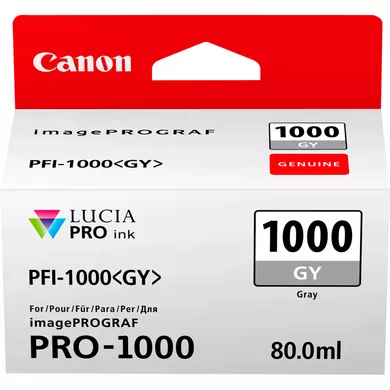
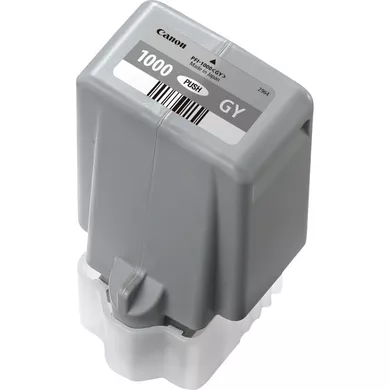
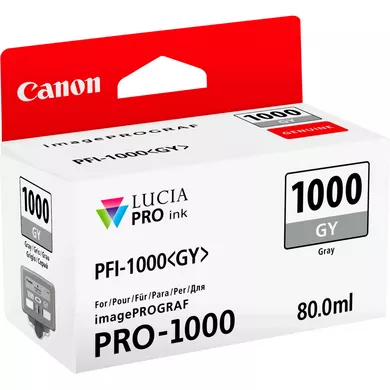
Specifications of INK CARTRIDGE CANON PFI-1000 GY
Ink Type: Pigment-based ink
Color: Photo Magenta
Cartridge Capacity: 80 ml
Ink Formulation: Pigment ink, which offers high durability and resistance to fading.
Purpose: Designed for professional photo and fine art printing, where accurate and vivid color reproduction is crucial.
Durability: Since pigment ink is more resistant to fading, your prints will maintain their colors and sharpness for a longer time, even when exposed to sunlight or humidity.
Enhanced Color Reproduction: The Photo Magenta ink ensures that pinks, reds, and other similar shades are rendered more accurately, delivering vibrant prints with smooth transitions and rich details.
Archival-Quality Prints: If you’re creating high-end photo prints or fine art reproductions, this ink ensures the longevity and quality of your work.
Water and Smudge Resistance: Pigment ink provides superior protection against water and smudges, keeping your prints pristine.
Wide Compatibility: The PFI-1000 PM cartridge works seamlessly with Canon’s PRO-series printers, making it ideal for professional environments where high-quality output is required.
How to Install INK CARTRIDGE CANON PFI-1000 GY:
Prepare the Cartridge:
Unbox the Canon PFI-1000 PM (Photo Magenta) ink cartridge.
Remove any protective plastic seals or tapes from the cartridge.
Turn on the Printer:
Ensure the Canon printer is turned on and the printer’s ink compartment is accessible. If the compartment is not open, use the printer’s control panel to open it.
Open the Ink Compartment:
Open the printer’s ink compartment. This compartment is typically located on the front or side of the printer, depending on the model.
Remove the Old Ink Cartridge (if replacing):
If you are replacing an old ink cartridge, press the release button or lever near the cartridge to eject it.
Carefully remove the old cartridge and dispose of it properly.
Install the New Ink Cartridge:
Take the PFI-1000 PM (Photo Magenta) ink cartridge and align it with the slot labeled for Photo Magenta. The slot will usually be color-coded for easy identification.
Insert the cartridge into the corresponding slot and push it in until you hear a click, ensuring it is securely installed.
Close the Ink Compartment:
Once the cartridge is properly inserted, close the ink compartment securely.
Prime and Initialize the Cartridge:
The printer will likely prompt you to confirm the new ink installation on the printer’s control panel.
The printer may perform an automatic priming and initialization process to ensure proper ink flow.
Wait for the printer to complete this process.
Run a Test Print:
After the cartridge is installed and initialized, run a test print to ensure the printer recognizes the new ink cartridge and the colors are printing correctly.





There are no reviews yet.